NAPSA 2026 Annual Conference
August 30 - September 2, 2026
Grand Sierra Resort | Reno, NV
NAPSA Conference App
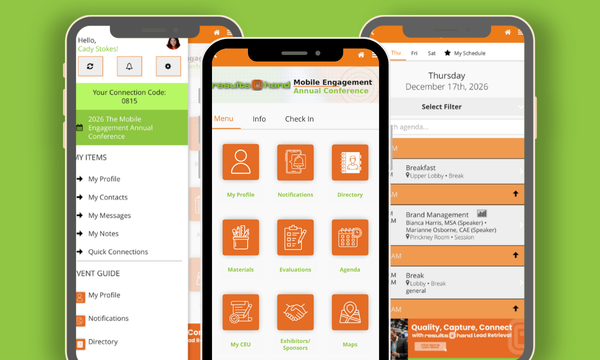
Download the NAPSA Events App to prepare for the NAPSA 53rd Annual Conference and Training Institute. Resources, sessions, notifications, and more are all at your fingertips.
Download the App
For Android and Apple users, search for NAPSA Events in the App Store or Google Play or use the links below.
Click to access the App Store for Apple Products
Click to access the Google Play for Android Products
Or Access Anytime from the Web
You can also access the app from your web browser. Visit the following URL to use the app on your smartphone, tablet, or PC:
https://app.resultsathand.com/napsa
The web app works on most current browsers, including Google Chrome, Firefox, Apple Safari, and Microsoft Edge.
Getting Started with the App
Sign in with the email address you used for registration. After entering your email address, create a passcode to secure your profile.
Once logged in, tap Profile to update your information, upload a picture, and adjust your sharing settings. The video below is a short demonstration to help you get started.
Visit here for a helpful video tutorial
Using the App for the Conference
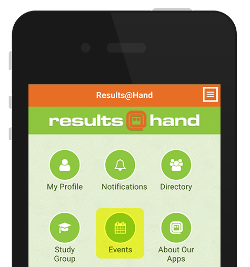
To access the NAPSA 53rd Annual Conference and Training Institute, tap the Events icon on the home screen and select the event from the list.
Depending on your account settings, the event may open automatically after login.
Refresh Your App for the Latest Updates
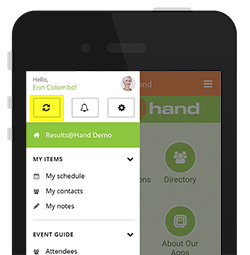
First time opening the app? Tap the refresh button at the top of the side menu to ensure you're running the latest app version.
Need App Support or Have Questions?
For assistance prior to the Conference, please email info@napsa.org.
While at the Conference in Reno, please visit the NAPSA Registration Desk located in the Grand Salon.